Selling wholesale (B2B) alongside your retail (B2C) products is one of the fastest ways to scale your WooCommerce store’s revenue. Instead of relying solely on small individual consumer orders, wholesale allows you to move bulk inventory with predictable, high-value commercial orders.
However, many store owners struggle with the technical setup:
- Do I need to build a separate website for wholesale buyers?
- How do I keep retail prices public while showing trade discounts only to approved business buyers?
- How can I prevent wholesale buyers from stacking consumer coupons on top of trade rates?
The good news is that you do not need a separate website. You can easily run a hybrid B2B + B2C store on a single WooCommerce installation.
In this step-by-step guide, we will walk you through setting up wholesale pricing, customer roles, minimum order quantities, and registration forms on your WooCommerce store.
Step 1: Install a Wholesale Plugin
To handle wholesale pricing, WooCommerce requires a dedicated B2B plugin that can manage user roles and custom pricing rules without slowing down your database.
For this tutorial, we will use NBKB B2B Wholesale for WooCommerce, which is 100% free and approved on the official WordPress.org repository.
- In your WordPress Admin, navigate to Plugins > Add New.
- Search for
NBKB B2B Wholesale. - Click Install Now, then Activate.
- You will see a dedicated B2B Wholesale menu appear directly in your WordPress admin sidebar.
Step 2: Create Custom Wholesale Customer Roles
Wholesale pricing works through WordPress user roles. When a customer logs in with a wholesale role, the store dynamically replaces regular retail prices with their negotiated wholesale rates.
By default, the plugin creates a primary Wholesale Customer (nbkb_b2b_wholesale) role. If you need multiple tiers (such as VIP Wholesale, Distributor, or Trade Partner), you can create unlimited custom roles with storewide discounts:
- Navigate to B2B Wholesale > Wholesale Roles.
- Click Add New Role.
- Enter a Role Name (e.g.,
VIP Wholesale) and set an optional Global Storewide Discount (%) (e.g.,15%). - Click Create Role.
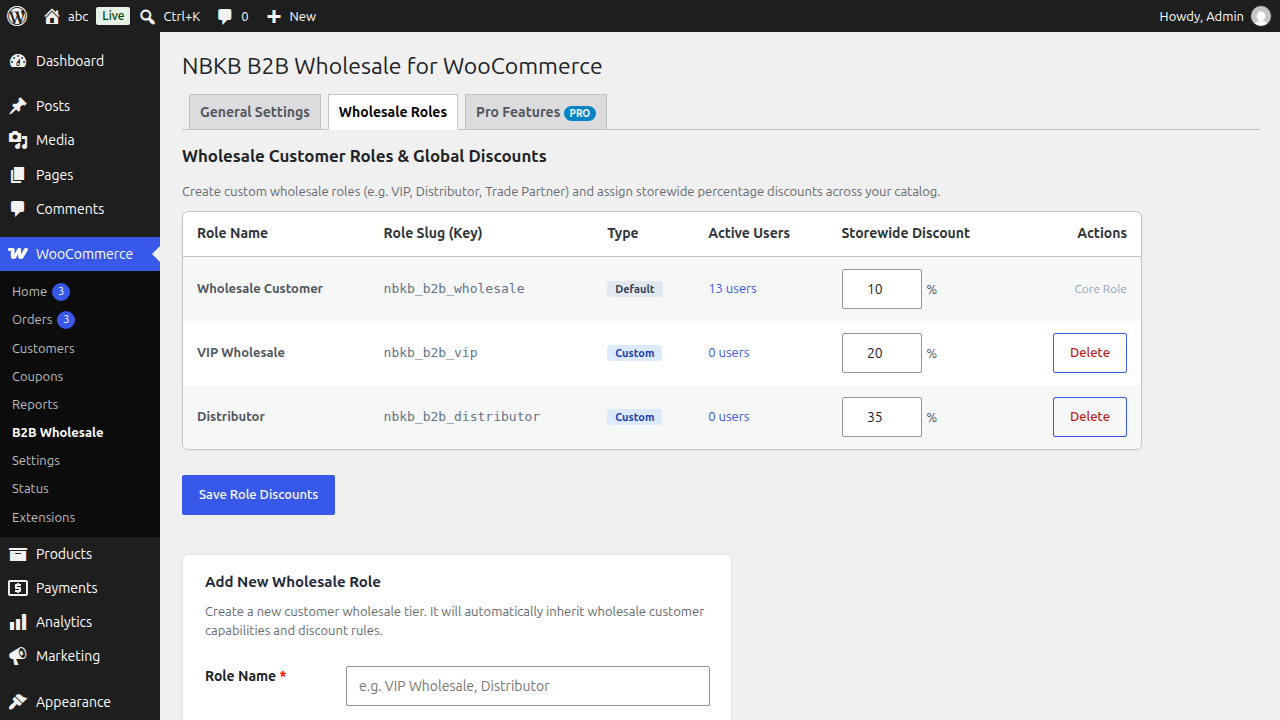
Pro Tip: Setting a global storewide discount allows you to immediately offer a baseline discount across your entire catalog without having to edit every product manually.
Step 3: Set Product-Level Wholesale Prices & MOQs
While global discounts are great for baseline pricing, you often have different profit margins across different products. You can easily set exact wholesale prices per product:
For Simple Products:
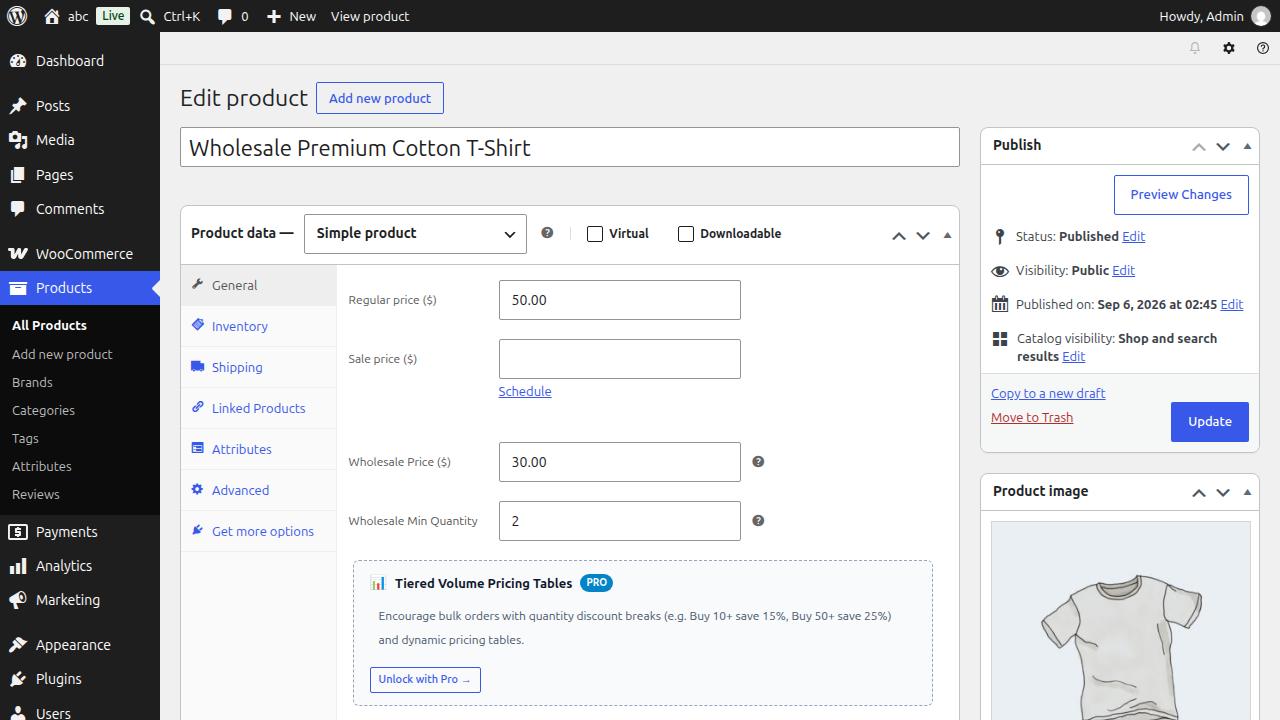
- Go to Products > All Products and edit any product.
- Scroll down to the Product Data box and click the Wholesale tab.
- Enter your Wholesale Price ($).
- Set a Minimum Order Quantity (MOQ) (e.g.,
5or10units). This ensures buyers cannot purchase wholesale rates for single units. - Click Update.
For Variable Products:
- Edit your variable product and click the Variations tab.
- Expand any variation.
- Enter the specific Wholesale Price and Minimum Quantity for that particular variation (e.g., Large vs Small size).
- Save changes.
Step 4: Set Up a Dedicated B2B Registration Form
To onboard commercial buyers smoothly, you need a dedicated registration page where wholesale applicants can sign up.
- Navigate to Pages > Add New in WordPress.
- Title your page Wholesale Registration (or B2B Sign Up).
- Add a Shortcode block and enter:
- Publish the page.
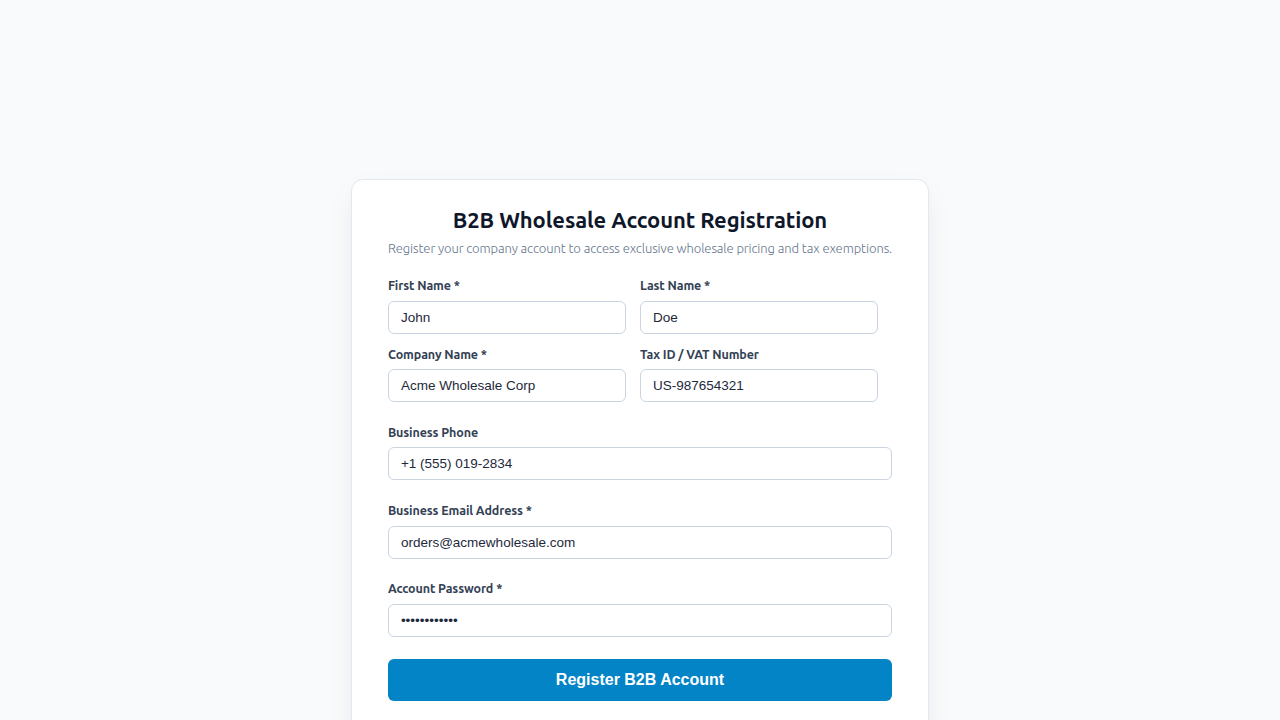
When visitors submit this form, an account is created with the wholesale role automatically, allowing them to log in and immediately view wholesale prices.
Need Manual Verification? If you want to review tax credentials before granting wholesale pricing, the Pro add-on includes a Manual Registration Approval Queue where you can approve or reject accounts with one click.
Step 5: Configure Important B2B Safeguards
To protect your margins and maintain a clean shopping experience, configure these essential settings under B2B Wholesale > Settings:
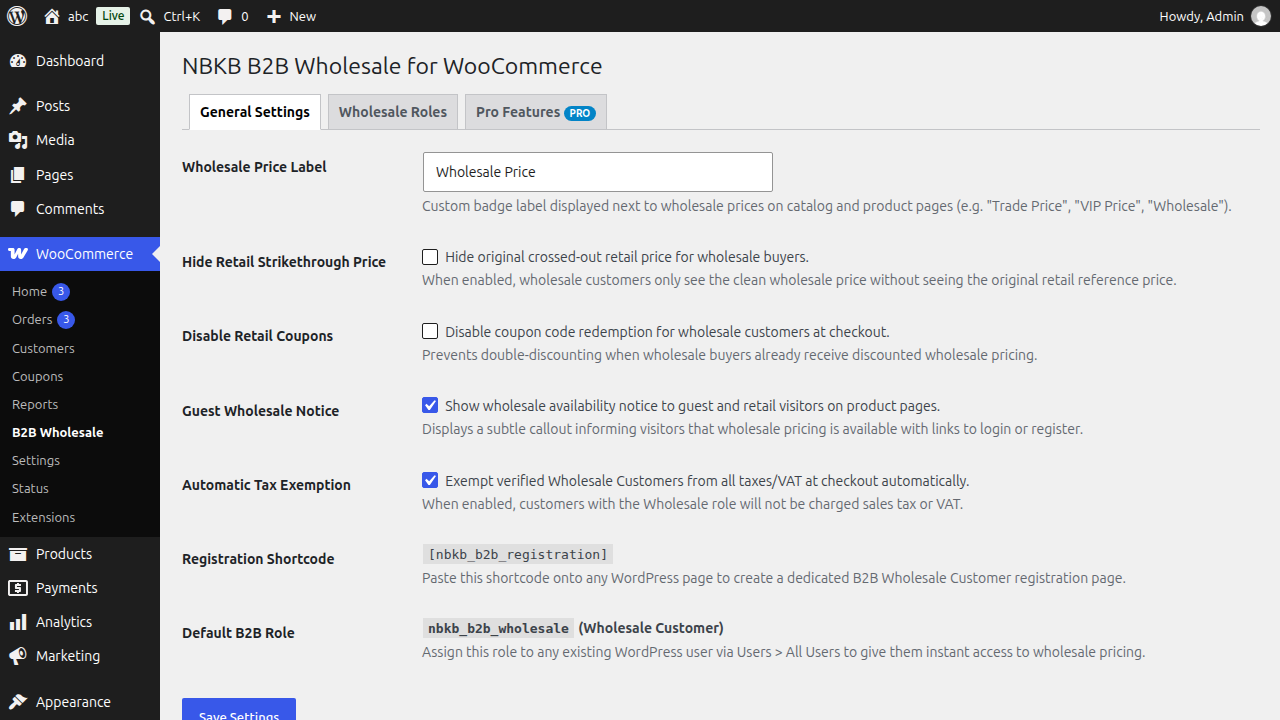
- Retail Coupon Blocker: Prevents wholesale buyers from stacking promotional retail discount coupons on top of their already discounted wholesale rates.
- Custom Price Label: Customize how wholesale prices appear across your shop (e.g., “Wholesale Price:”, “Trade Rate:”, or “VIP Price:”).
- Hide Strikethrough Price: Choose whether wholesale buyers see the crossed-out retail price next to their trade price, or just a clean wholesale rate.
- Automatic Tax Exemption: If local regulations exempt wholesale trade buyers from sales tax, enable automatic tax exemption for specific wholesale roles.
Summary Checklist for WooCommerce Wholesale
| Step | Action | Key Benefit |
|---|---|---|
| 1. Plugin | Install NBKB B2B Wholesale | Clean, lightweight hybrid store setup |
| 2. Roles | Create custom customer roles | Segment retail vs trade buyers |
| 3. Pricing | Set wholesale price & MOQ | Protect margins on bulk volume |
| 4. Sign-Up | Add
| Easy onboarding for B2B accounts |
| 5. Rules | Block retail coupon stacking | Eliminate double discounting |
Final Thoughts
Setting up wholesale on WooCommerce does not have to be complicated or require expensive standalone portals. By utilizing custom user roles and dedicated pricing fields, you can serve both everyday retail shoppers and high-volume commercial clients from a single, unified store.
Ready to start selling wholesale? Install NBKB B2B Wholesale on WordPress.org or explore NBKB Labs for advanced volume tier pricing and quote requests.